
Mug Monitor App Icon

Mug Monitor

Your independent companion app for Ember mugs. Know when your drink is ready, check its status at a glance, and let supported Android phones reconnect in the background.

The core app is free. Ready to Drink, automatic background reconnect, and smartwatch support require Premium. New users get a 7-day free trial to explore supported Premium features.

Earlier alerts. Easier reconnects.

Two new Premium features to help you spend less time checking your mug and more time enjoying your drink.

iOS + Android Premium feature

Ready to Drink

Prefer your drink a little hotter than your target temperature? Choose an earlier alert and get notified after your drink cools into your ready range.
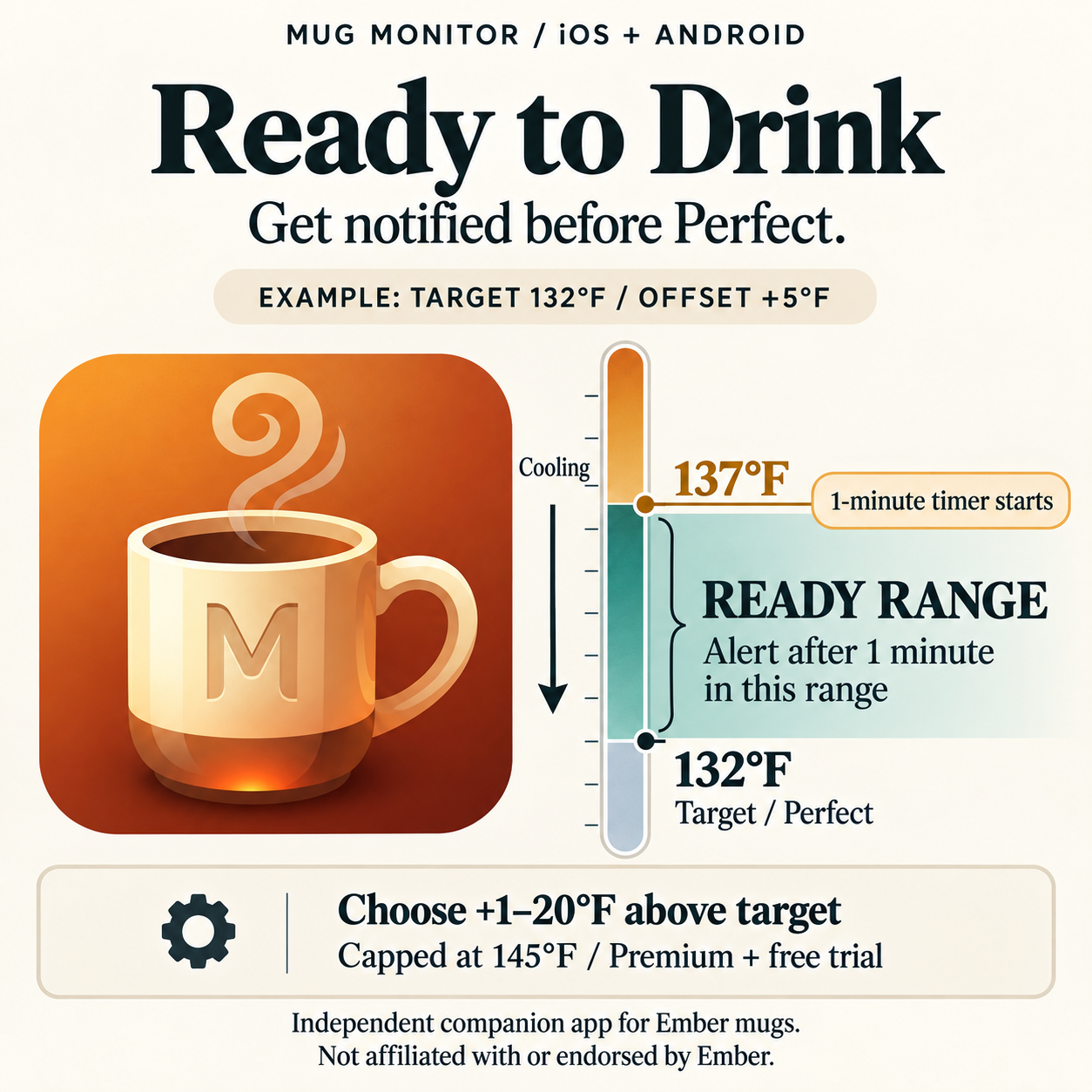
Ready to Drink example: a drink cooling from 137 degrees Fahrenheit into the ready range above a 132 degree target

Example: 132°F target, +5°F offset

  1. Your drink cools to 137°F, starting a one-minute timer.
  2. It remains above 132°F and at or below 137°F while cooling.
  3. After one minute in that range, you get a Ready to Drink alert.

The delay helps avoid premature alerts from temporary readings while filling the mug. If the temperature leaves the ready range, the pending alert is canceled.

  • Choose 1–20°F above your target; the default is +5°F.
  • The top of the range is capped at 145°F. If your target is already at that maximum, an earlier alert is unavailable.
  • Optionally keep the normal Perfect alert enabled too.

Ready to Drink is optional and off by default. Enable it in Settings and choose your preferred offset.
Android only Premium feature

Automatic multi-day background reconnect

Previously, automatic reconnection depended on Mug Monitor's background service staying running. With Android system wake-up configured, Android can wake the app and attempt to reconnect when it detects your mug nearby, even if that monitoring service has stopped.

It is designed to resume monitoring between drinks and across days without you having to reopen the app. This is automatic recovery, not a guaranteed uninterrupted connection; detection and reconnection can vary by phone and mug state.

Requires Android 12 or newer and Companion Device wake-up support. Some phones lack this support even on a compatible Android version. Settings will show whether your phone supports it. Unsupported phones retain the existing reconnect methods.

The option is enabled by default for Premium and trial users, but Android system wake-up still requires one-time setup. An explicit manual Disconnect is respected.

How to set up Android wake-up
  1. Connect your mug in Mug Monitor first.
  2. In Settings, enable Automatic background reconnect if needed, then choose Set up Android wake-up.
  3. If Android cannot find your mug, hold the button on the bottom for about 7 seconds. Release when the blue pairing light pulses (or the Travel Mug shows PAIR), then retry setup. Do not keep holding until the red factory-reset light.
  4. Select your mug and approve Android's request. Check Settings for confirmation that wake-up is enabled.

No need to remove an existing Bluetooth pairing first. If another phone is connected to the mug, disconnect it there before trying setup.

More Android setup and troubleshooting help

How It Started

Mug Monitor started as a hobby project. I wanted better background connectivity and a quick way to see my mug's temperature without opening an app. I worked on reconnecting after leaving home and coming back, added silent status notifications, and gave the mug a custom LED pulse when a drink reached its target.

Then my iOS family members wanted a similar experience, so Mug Monitor grew to support both platforms. Community feedback continues to shape it, including the new Ready to Drink alerts and Android system wake-up.

More ways to enjoy your mug

Everyday convenience, with advanced background and smartwatch features available through Premium.

Smart Monitoring

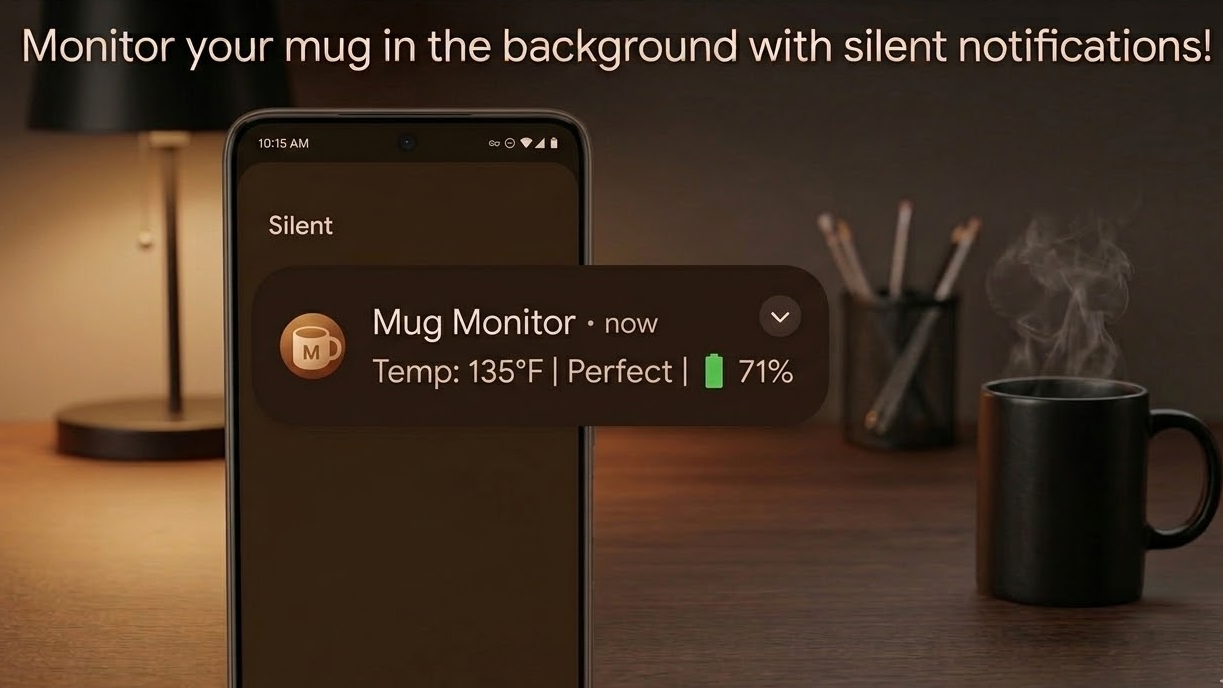
Check your mug's reported temperature and battery at a glance through silent status notifications on Android and Live Activities on iOS. Spend less time opening the app to see how your drink is doing.

Background Monitoring

Premium background monitoring helps keep your mug's status available between app visits. Supported Android phones can also use the new system wake-up setup for automatic background reconnect.

Visual Pulsing

Have your mug's LED pulse in your chosen color when your drink reaches its target temperature. A visual cue on the mug itself, alongside your phone or watch alerts.

Native Experiences

Ready to Drink on both platforms. Android system wake-up on supported Android phones. Smartwatch support requires Premium.

Android

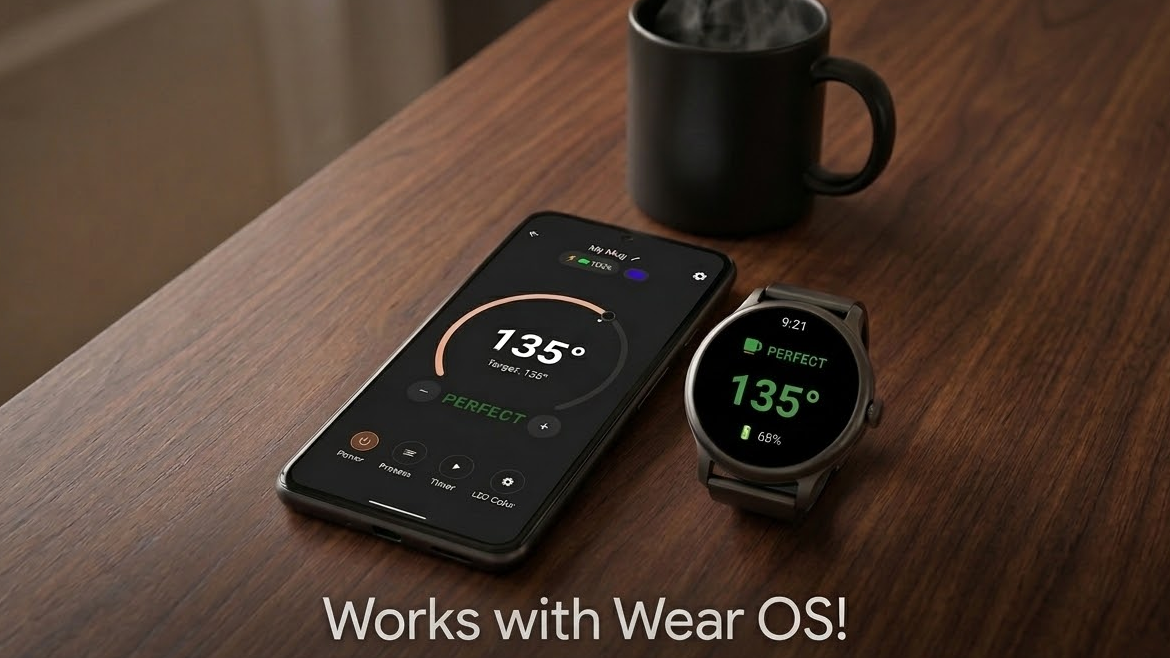
Silent Notifications & Wear OS

Check temperature and battery in your notification shade or on your wrist. With Premium and one-time setup, supported phones can also wake the app when your mug appears nearby.

Android Silent Notification Works with Wear OS
iOS

Live Activities & Apple Watch

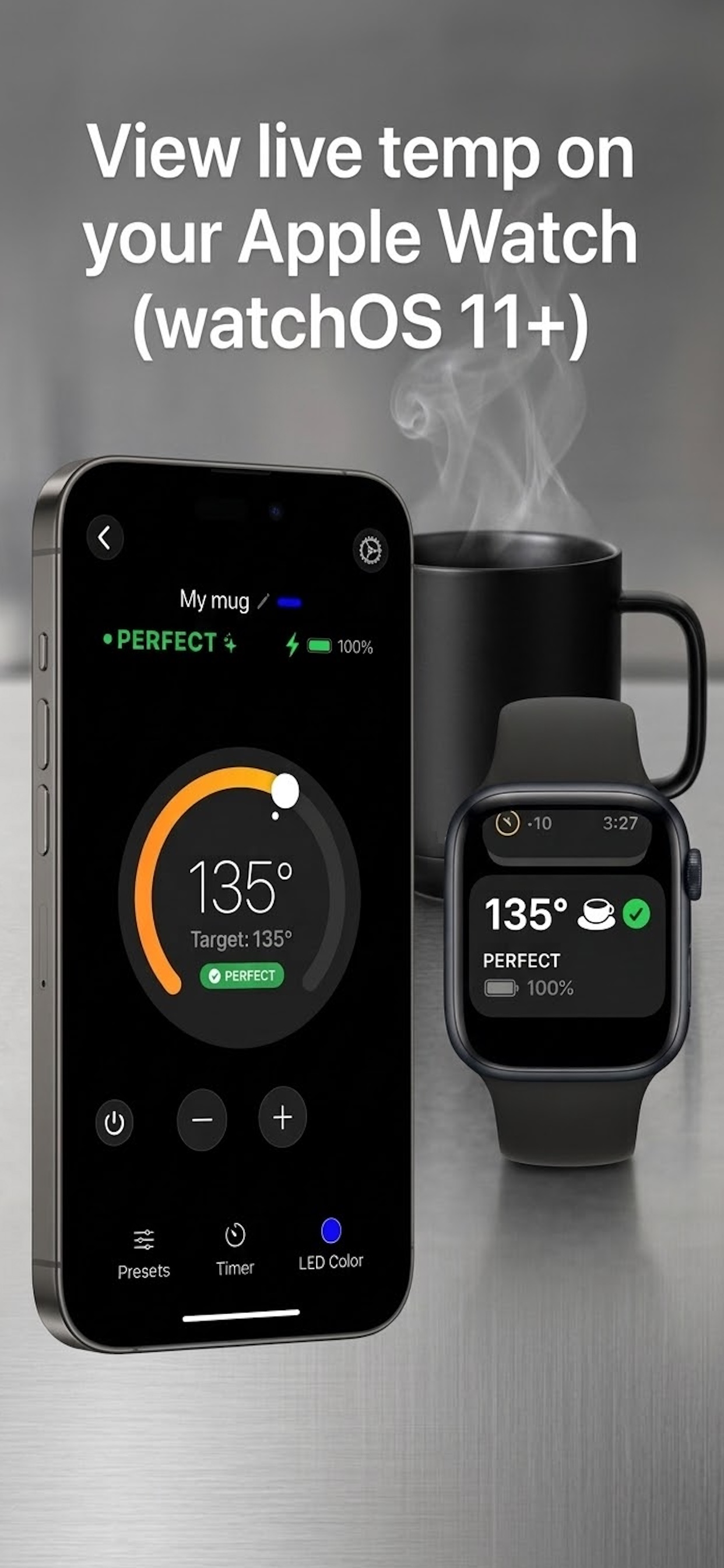
Track your drink from the Lock Screen or your Apple Watch, and use Ready to Drink for an earlier alert. The new Android system wake-up reconnect mode is not available on iOS.

iOS App and Apple Watch Integration

Support the Developer

The core app is free to download and use. Premium includes Ready to Drink alerts, advanced background monitoring and reconnect features, and smartwatch support. Your purchase helps cover ongoing development and improvements.

New users get a 7-day free trial of Premium.

Feature availability depends on your phone and platform. Updating the app does not restart a previously used trial. After the trial, Premium features require a purchase; the core app remains free.

Already love the app and want to say thanks? Tips are always deeply appreciated!

Tip the Developer

Need Help?

Check out our Frequently Asked Questions and troubleshooting guides to get your Mug Monitor running smoothly.

Notice of Non-Affiliation and Disclaimer:

"Mug Monitor" is an unofficial companion app. It is not affiliated with, endorsed by, or connected to Ember Technologies, Inc. All product and company names are trademarks™ or registered® trademarks of their respective holders. Use of them does not imply any affiliation with or endorsement by them.